281 — file watcher for buckets
fw4b
- node program watching for files change in a folder.
- a subfolder (.config) contains configuration : folders to watch
- the program is installed and runs gobally
- See also 115-file-watcher-4b
Installation
- source code is available on GitHub.
- clone to local folder:
$ git clone https://github.com/abatros/281-file-watcher-for-buckets.git
How to get latest revision.
If the program is already installed, you should see a subfolder .git.
It is always a good idea to check the status of your local working directory.
Then update doring a git pull.
$ git status
$ git pull
Development side: pushing new revision on GitHub.
$ cd ./281-watcher-4-buckets
$ git status
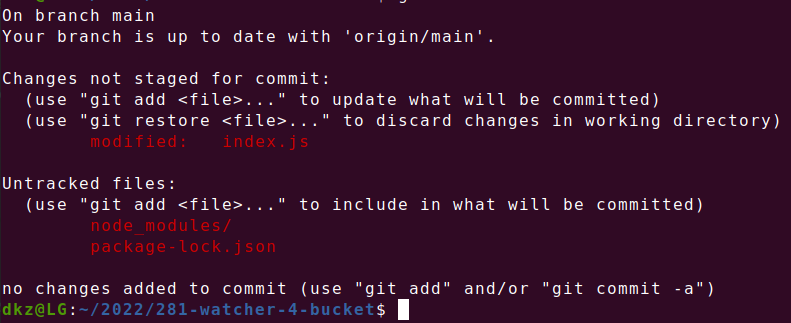
$ git commit -am 'dkz'

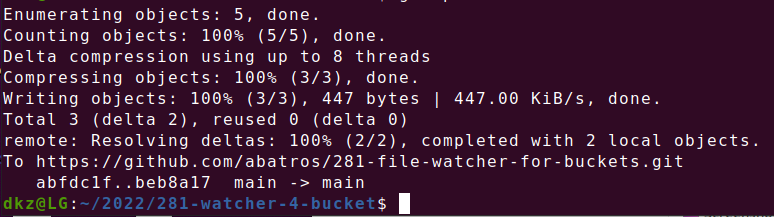
Finally push to the server
$ git push
Tech Notes.
- uses chockidar.watch module.
package.json >> Configuration see swizec.com/blog/making-a-node-cli-both-global-and-local/
"main": "index.js", "bin": { "fw4b": "index.js" },
See also: stackoverflow.com/questions/57509855/expose-a-global-command-to-run-a-script-from-node-package
Rebuilding.
$ npm i --save chokidar
$ index.js
Revision May 2023.
Gives the list of globally installed packages or nodejs programs
$ npm list -g
├── 242-recup@1.0.0 -> ./../../home/dkz/2021/242-recup
├── 270-dxf@1.0.0 -> ./../../home/dkz/2022/270-dxf
├── 281-watcher-4-bucket@1.0.0 -> ./../../home/dkz/2022/281-watcher-4-bucket
├── browser-sync@2.27.9
├── cordova@11.0.0
├── corepack@0.17.0
├── ghost-cli@1.21.0
├── meteor-build-client@1.3.0
├── meteor@2.12.1
├── mup-docker-deploy@0.4.0
├── mup-node@0.8.1
├── mup@1.5.9
├── nodemon@2.0.14
├── npm@9.6.6
└── tileserver-gl@4.4.10


$ git branch -a
* may-2023
  remotes/origin/main
  remotes/origin/may-2023
To change defaults when pushing.
$ git push -u origin may-2023
Branch 'may-2023' set up to track remote branch 'may-2023' from 'origin'.
Everything up-to-date
$ git push
Everything up-to-date